Create your ABHA
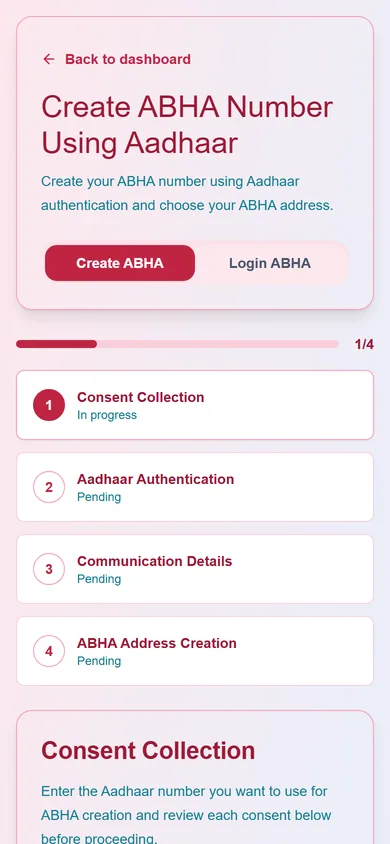
A step-by-step wizard creates your ABHA number with Aadhaar OTP: consent, Aadhaar authentication, communication details and your ABHA address.
- Guided four-step wizard
- Choose your ABHA address
- Clear consent before anything is shared
Create your Ayushman Bharat Health Account in a guided wizard, use it to sign in, and let your records travel with you through ABDM, only when you consent.
A step-by-step wizard creates your ABHA number with Aadhaar OTP: consent, Aadhaar authentication, communication details and your ABHA address.
Patients sign up ABHA-first. Sign in later with your ABHA number, ABHA address, Aadhaar or mobile OTP.
View, download or print your ABHA card from your profile once your KYC is complete in the PHR app.
Update your mobile number and address, and sync your ABDM profile into MedChaaya.
Link documents you already have in MedChaaya to your ABHA.
When a doctor asks for your records from another provider, the request comes to your ABHA app. Nothing is shared until you approve it.
MedChaaya is ABDM compliant for Milestones 1 to 3 and exchanges records in FHIR R4.
Choose "Patient" on the sign-up page. You can sign up with your ABHA, or with a password using your mobile number or email. After an ABHA sign-up you confirm the name, date of birth and address that came from ABDM.
Patients choose what to share and can revoke access. Staff and doctors see only what their role, hospital and permissions allow, each hospital's records are kept separate, and an audit log records who did what. With an on-premise deployment, patient records are stored on your own infrastructure.
No. Patients can sign up with email, mobile or Google and add an ABHA later from their profile.
Create your account in two minutes and keep every visit, report and bill in one place.
Create account